

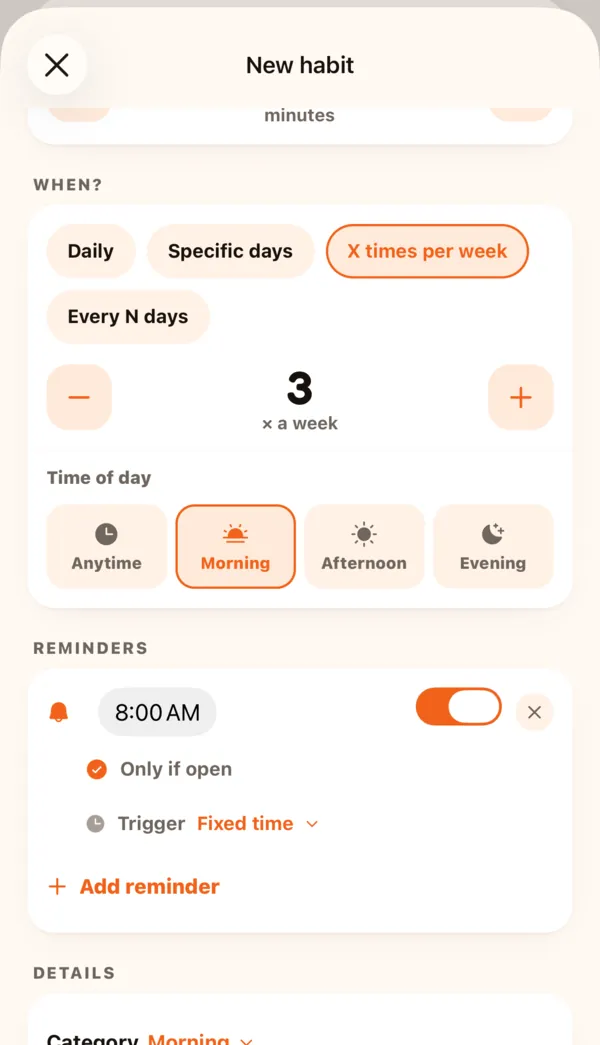
Schedules that fit your life
Every day, weekdays only, three times a week or every other day. You only get a reminder if you haven't done it yet, and your phone stays quiet at night. Vacations and breaks leave your streak alone.
Drank your water, read ten pages, walked around the block: in HabitPocket you check it off with one tap and get on with your day. Pocket cheers you on, and by default your data stays on your phone.

Free without an accountNo ads
Today
1 of 4
No dashboard to maintain. HabitPocket remembers what you set out to do and only speaks up when the timing is right.
Every day, weekdays only, three times a week or every other day. You only get a reminder if you haven't done it yet, and your phone stays quiet at night. Vacations and breaks leave your streak alone.
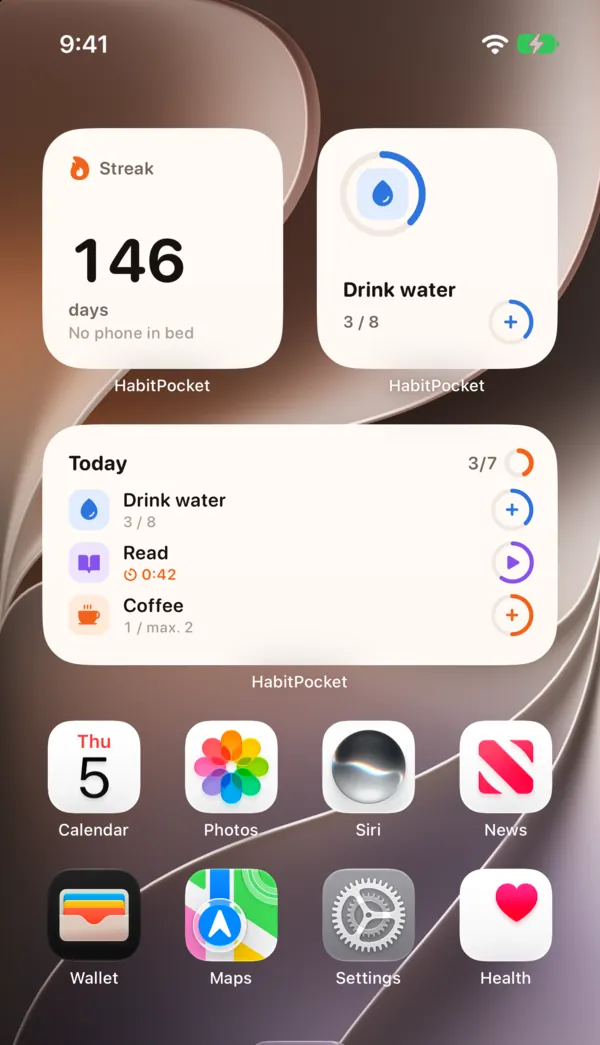
The widget shows what's left for today. Tap the plus and it's done. On iPhone that works from the lock screen and your Apple Watch too.
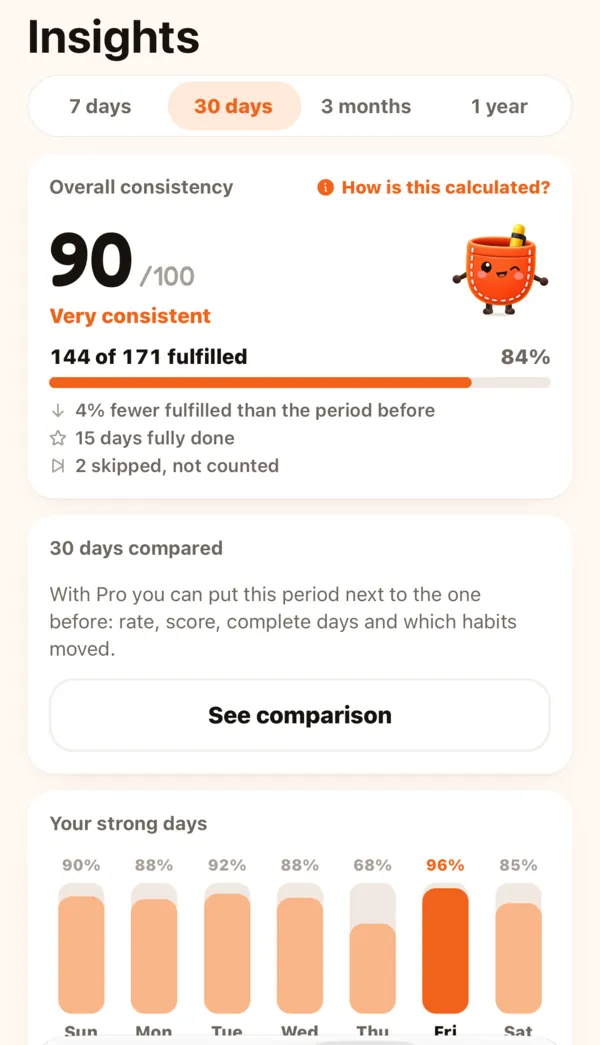
See which weekdays go well and where things stall. No leaderboards, no comparing yourself to others. On iPhone, Apple Health checks off your 8,000 steps for you, and that data is only read on your device.
HabitPocket works fully offline and without signing up. You only need an account if you want to sync between devices with Pro.
Everything you need to stick with your habits is free. Pro is there when your habits should live on several devices or you want to look back on a whole year.
Forever, without ads
Monthly, yearly or a one-time purchase
Everything in Free, plus:
What helps you stick with it, without the finger-wagging.
What is habit stacking? How to attach new habits to things you already do every day, with 15 habit stacking examples and a simple fill-in-the-blank formula.
What habits should you track? 30 habit tracker ideas for health, learning, home and evenings, plus tips on setting them up so you actually stick with them.
21 days? 66 days? What the research says about how long it takes to form a habit, why one missed day barely matters, and how to make it easier sooner.
Yes. Creating and checking off habits, reminders, widgets, Apple Health and export cost nothing, and there are no ads. Pro is an optional extra for sync, cloud backups and longer look-backs.
No. HabitPocket works completely without signing up. You only need an account (with Apple or Google) if you want to sync between devices or keep backups in the cloud with Pro.
Yes, for both. With Pro and the same Google account, your habits also stay in sync between iPhone and Android. Sign in with Apple is only available on iPhone.
HabitPocket is available in 16 languages, including English, German, French, Spanish, Italian, Dutch and Portuguese.
Yes. With the Limit goal type you set how much is okay at most, say two coffees a day. With Avoid, every day without a slip counts as a win. Both are free.
Nothing bad. You can log days afterwards, pause a habit or add a vacation. And Pocket won't hold it against you.
You manage subscriptions in the App Store or Google Play under your subscriptions. Everything free stays exactly as it was.
In the app under Settings › Data & export. You get a complete JSON backup or a CSV for your spreadsheet, free and without limits.
Download it for free and start without an account. For iPhone and Android.